Photo to stencil converter
Upload any photo and watch it become a crisp black-and-white stencil as you move the sliders. Download in seconds — no software to install, no design skills required.
Free to try · no account needed · 3 free exports
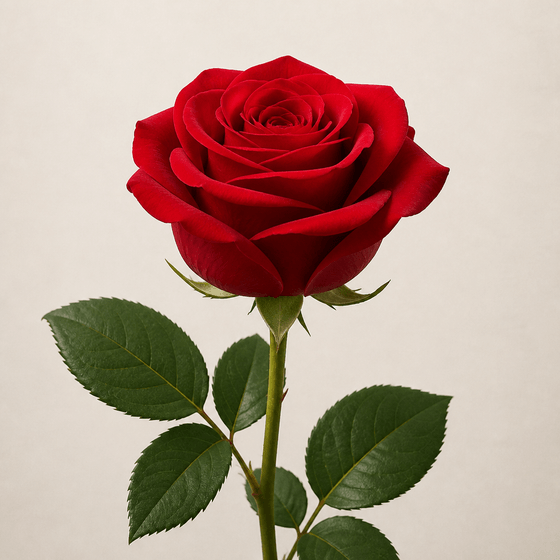
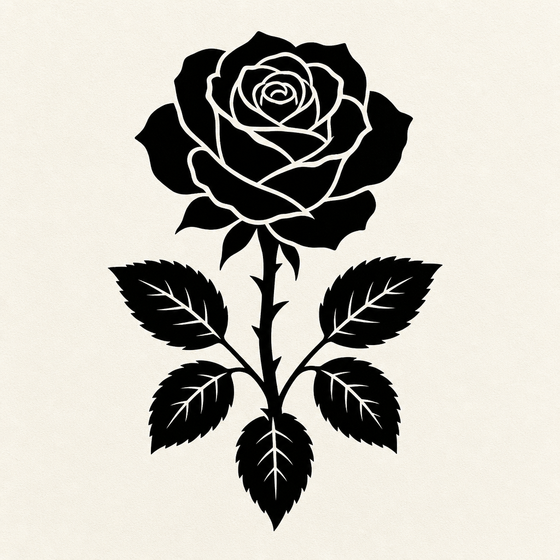
Threshold, not a filter
Max 21 cm — thermal stencil paper width. Applies to Pro exports.
1 credit per export
Threshold, not a filter
How it works
Upload a photo
JPG, PNG, or WebP. The photo is processed in your browser for the live preview.
Tune the conversion
Threshold controls how much of the image turns black. Outline mode traces edges instead. Invert flips black and white.
Export
Free watermarked PNG, or clean hi-res PNG and SVG with a Pro subscription.
Simple pricing
Try it free. Upgrade when you need files you can actually print or cut.
Free
$0
- 3 free exports
- Watermarked PNG
- One-page print size
- Full live editor
Pro
Clean PNG · cuttable SVG · mirror · exact size
$4.95/mo
- 25 export credits / month
- Hi-res PNG, no watermark
- Cuttable SVG (Cricut / Silhouette)
- Mirror for tattoo transfers
- Exact size in cm
- Commercial use
Frequently asked questions
How do I convert a photo to a stencil?
Upload the photo, then adjust the threshold slider until the subject is clearly separated from the background. Use Outline mode if you only want edge lines. When it looks right, hit export.
Why does my photo look like a black blob?
The threshold is too high (or too low for dark photos). Move the threshold slider until the balance looks right, and add smoothing to remove speckle noise.
Can I get a vector (SVG) version?
Yes. Pro exports include a traced SVG with real vector paths — sized in centimeters and ready for cutting machines or further editing in Illustrator/Inkscape.
Is my photo uploaded to your servers?
The live preview runs entirely in your browser. Only the final black-and-white result is sent to our server when you export an SVG (to run the vector trace).